
| Updated | 08/11/2026 |
| Size | 20MB |
| Version | 10.14.5 |
| Requirements | 4+ |
| Downloads | 100K+ |
Description
Finding something interesting to watch can take longer than expected when entertainment is spread across different platforms. Picasso approaches this differently by bringing video content, web series, and live-stream options together in one Android application.
The app, listed on Google Play as Picasso: Live TV, Movie & Show, is developed by Streams Hub. Its main purpose is to help users discover entertainment through categories, regional selections, and personalized recommendations.
It also includes an in-app video player, allowing users to watch supported content without switching between multiple applications. The developer describes its content as videos hosted on YouTube and accessed through the YouTube platform.
Table of Contents
A Single Place to Browse Different Types of Video Content
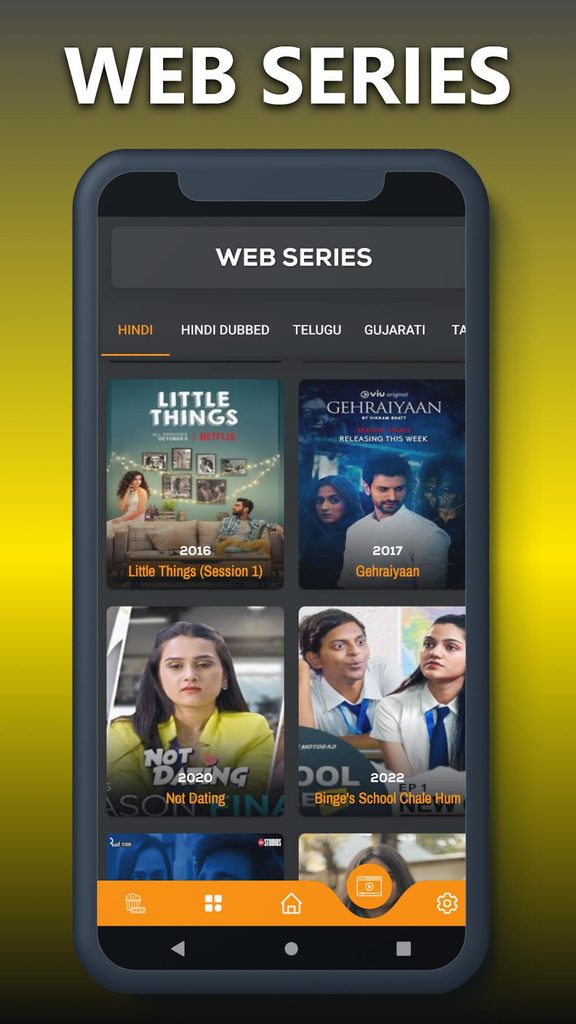
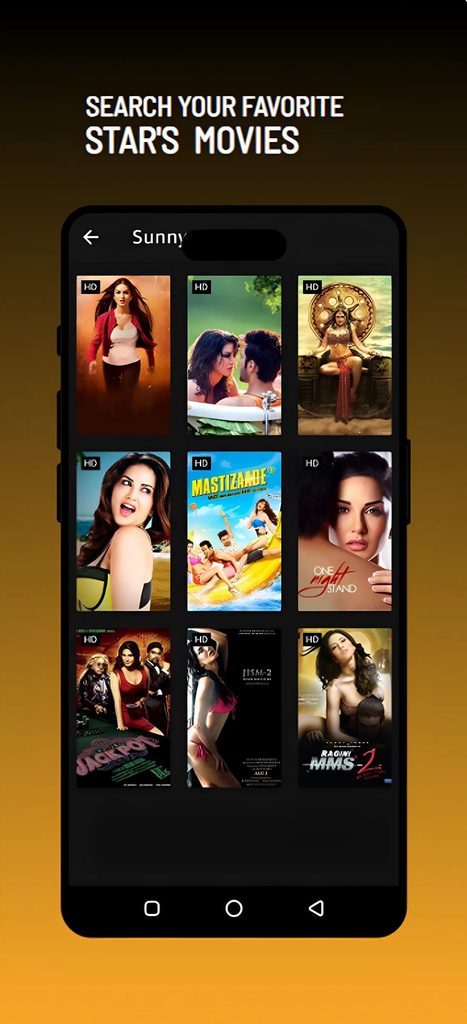
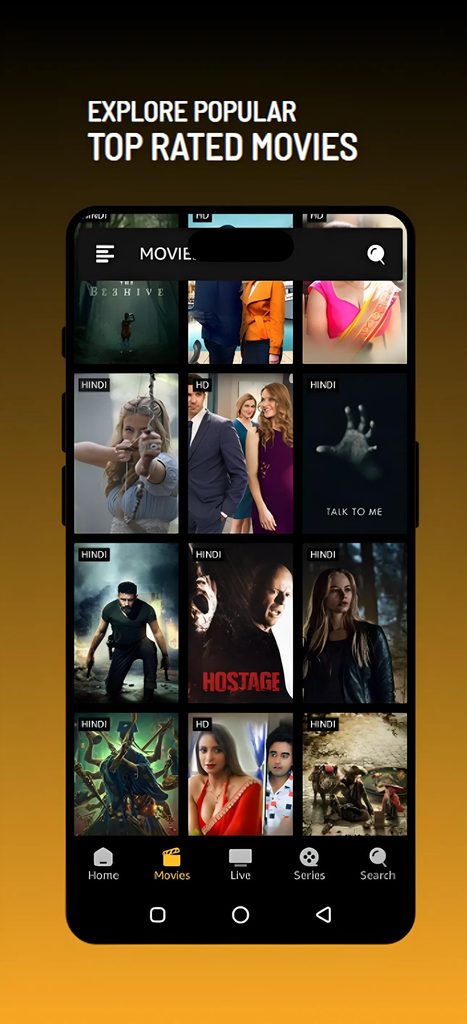
Picasso is designed around video discovery rather than social networking or content creation. Its interface brings different entertainment categories into one browsing experience.
Depending on available content, users can explore:
- Movies from different genres.
- Web series and television shows.
- Regional entertainment selections.
- Live TV and supported video streams.
- Different types of publicly available video content.
The actual selection can change over time, and individual videos may become unavailable depending on their original hosting source.
Features That Shape the Viewing Experience
Browse Movies by Category
Finding content becomes easier when movies are arranged into different categories. Instead of searching for every title individually, users can explore available genres and select something that matches their interests.
The app also advertises regional movie selections, which can help users discover content from different entertainment industries.
Discover Web Series and Shows
Picasso includes web series and television-related content alongside movies.
This arrangement is useful for people who prefer episodic entertainment. You can explore available shows and select supported videos directly from the application.
Watch Supported Live Streams
Live-stream playback is another part of the application’s functionality.
The latest listed version, 10.14.5, includes support for M3U8 playlists and live streams. This allows the built-in player to handle compatible streaming sources.
An M3U8 playlist is commonly used to organize streaming video segments. However, having a compatible player does not guarantee that every external stream will work.
Personalized Content Recommendations
The application advertises recommendations that become more relevant based on user preferences and activity.
Rather than browsing every available category, users can explore suggested entertainment that matches their interests.
Built-in Video Player
The integrated player lets users watch supported videos inside the application.
According to the latest release information, playback improvements include:
- Support for compatible high-resolution video streams.
- Live and recorded video playback.
- Language selection within the player.
- Playback performance improvements.
- Support for compatible streaming playlists.
Actual video quality depends on the source, internet connection, and device capabilities.
Adult Content Filter
Another useful addition is an adult-content filtering option. The release information for version 10.14.5 specifically mentions a one-tap option to hide adult content.
This provides an additional viewing preference for users who want to filter certain material. It should not be treated as a replacement for parental controls or device-level content restrictions.
What Changed in the Latest Listed Release?
As of November 7, 2026, APKMirror lists version 10.14.5, uploaded on November 3, 2026. Its release notes mention several playback and usability improvements.
The listed changes include:
| Area | Update |
|---|---|
| Video playback | Improved streaming performance |
| Live streaming | M3U8 playlist support |
| Content browsing | Genre filtering |
| Player | Multi-language selection |
| Content preferences | Adult-content filter |
| Stability | Minor bug fixes and optimization |
There is an important version distinction: Google Play currently displays an August 16, 2026 update, while APKMirror lists newer November releases. Therefore, the third-party APK version should not be confused with the version currently displayed in the Play Store.
Picasso App Information and Android Requirements
Here are the identifying details available from the app listings.
| Detail | Information |
|---|---|
| Application | Picasso: Live TV, Movie & Show |
| Developer | Streams Hub |
| Category | Entertainment |
| Package name | com.offshore.picasso |
| Latest third-party listed version | 10.14.5 |
| Release/upload date | November 3, 2026 |
| Minimum Android version | Android 7.0+ |
| File format | APK bundle |
| Latest listed file size | 18.73 MB |
The Android requirement and file size above refer to the listed 10.14.5.
Important: The 18.73 MB figure is the listed bundle file size, not necessarily the total storage required after installation. Split APK packages may require additional storage.
How Picasso Handles Its Video Content
One detail worth understanding before installing the application is where its videos come from.
The developer’s description states that the application does not upload or own the videos. Instead, it presents publicly available YouTube-hosted content through the YouTube API. It also states that copyright ownership remains with the respective content owners.
This means Picasso should be understood as a video discovery and playback application, rather than a service that independently produces or owns the movies and shows it displays.
Availability can depend on the original video, regional restrictions, and the rights granted by the content owner. A title appearing in the application does not automatically mean that it is licensed for every type of viewing or in every country.
Installing the Android Application
For the most straightforward installation, use the Google Play listing:Picasso on Google Play
Before installing a third-party package, follow these checks:
- Verify the application name and package identifier.
- Check that the developer signature matches the expected publisher.
- Confirm that the Android requirement matches your device.
- Check the version number and release date.
- Scan the downloaded package with a reputable security tool.
Some releases are distributed as APK bundles containing multiple split APK files. These may need a compatible installer instead of the standard Android package installer.
Only grant installation permission to a source you trust, and disable that permission afterward if it is no longer required.
Getting Better Results When Browsing Content
A few simple habits can make the application easier to use.
- Browse by genre when you are unsure what to watch.
- Use regional categories to discover relevant content.
- Check whether a video is still available from its original source.
- Select a suitable playback quality based on your internet connection.
- Use the language options when supported by the video.
- Enable the adult-content filter if you prefer to hide that material.
For live streams, a stable internet connection is particularly important. If a stream fails to load, the original source may be unavailable or the playlist may no longer be valid.
Frequently Asked Questions
What is Picasso used for?
It is an Android entertainment application for discovering and playing supported movies, web videos, web series, and live streams through an integrated browsing and playback experience.
What is the latest Picasso version?
The latest version I could verify in the third-party APK release listing as of November 7, 2026, is 10.14.5, uploaded on November 3, 2026.
Does Picasso support Android 7?
Yes. The listed 10.14.5 APK bundle specifies Android 7.0 or later as its minimum requirement.
Can I watch live TV through the application?
The application advertises live TV and supports compatible live-stream formats, including M3U8 playlists. However, individual channels depend on available and working streaming sources.
Does Picasso require a subscription?
The Google Play description advertises access to its video content without a subscription. The listing also indicates that the app contains advertisements and in-app purchases.
Why does a video sometimes stop working?
A video may become unavailable if its original hosting source removes it, restricts access, or changes its streaming address. Internet connectivity and playback compatibility can also affect streaming.
Is Picasso available on Google Play?
Yes. There is a Google Play listing under the name Picasso: Live TV, Movie & Show, published by Streams Hub.
Final Thoughts
Picasso brings movie discovery, web video browsing, and supported live-stream playback into one Android application. Its category browsing, regional selections, integrated player, and updated streaming support make up the main parts of its entertainment experience.
The November 2026 release also introduces useful player improvements, including genre filtering, language selection, and M3U8 playback support. If you prefer joining live voice conversations and connecting with communities instead of watching videos, you can also explore Clubhouse APK.
If you are considering installing it, check the publisher, package version, and Android requirements before choosing an APK source. Also remember that video availability and usage rights depend on the original content providers.
Download links
How to install Picasso APK Download free for Android – Movies, Shows & Live TV 2026 APK?
1. Tap the downloaded Picasso APK Download free for Android – Movies, Shows & Live TV 2026 APK file.
2. Touch install.
3. Follow the steps on the screen.
Related apps








Most viewed apps
-
 NBA 2K20 MOD APK+OBB Free Download: What to Know in 2026MOD99.0.5
-
 PinayFlix Mod APK 1.0 (No Ads) Download Free for AndroidMOD1.0
-
 Apne TV Download for Android: Best Live TV Apps 20265.0
-
 Bappam TV APK Download 2026: What It Is & Better OptionsMOD2.0
-
 Aarya Editz APK for Android 2026: Free Download & Full Review1.3
-